General
Installation
Data Collection
Data Modeling with AI
Feature Guides
Account & Preferences
Security
Setting Unit Preferences
Onboard’s Unit Preference feature lets you customize how units of measurement are displayed across the platform giving you a consistent experience whether you’re analyzing trends, exporting data, or querying the API.
Its lets you
- View data in units that make sense for you or your region (°F vs °C, m3 vs ft3)
- Your selected units apply across the Trendviewer , Data Export , and API time-series queries
- Onboard supports the QUDT unit convention, making units machine-readable, standardized, and compatible with external systems
How it works
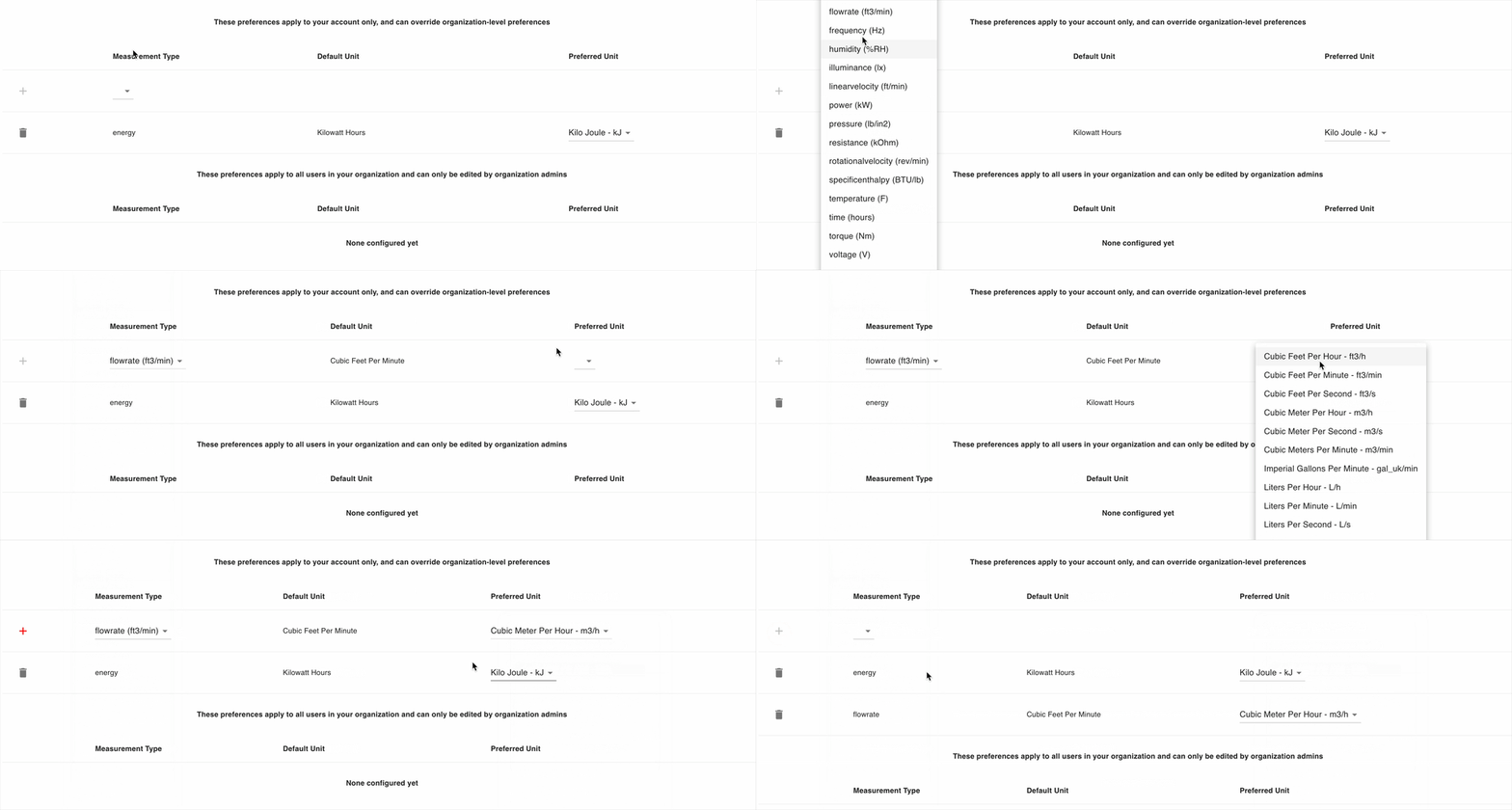
- Go to Account > Unit Preferences tab
- Select a measurement type (e.g., temperature, energy, flowrate)
- View the default unit and then choose your preferred unit from the dropdown
- Click on the + button to save your preference. Your saved preferences are applied instantly
Org Admins can also set global default to ensure a standard output for all users in their organization.