• Onboard Home
  • Youtube Channel
  • Ask Community
Ask Community
Frequently Asked Questions
General Overview
General Overview

Welcome to Onboard
System Overview
Installation
Installation

Steps To Success
Installation Requirements
Network & Connectivity Requirements
Installing Onboard's Edge Software
Troubleshooting Installation & Working with IT
Managing Deployments
Data Discovery
Data Discovery

What is BACnet?
Connect Your BACnet Devices
What is Modbus?
Connect Your Modbus Devices
Troubleshooting Discovery
Data Modeling with AI

What is Staging?
Getting Started with Staging
What is an Ontology?
Onboard's Data Model
Data Modeling with AI
Modeling Points
Modeling Equipment
Modeling Locations
Modeling Relationships
Publish-Unpublish Workflow
Feature Guides
Feature Guides

Exporting Data (CSV, JSON)
Buildings Explorer
Creating Custom Labels [Soon]
Account & Preferences

Creating a User Account
Deactivating a User Account
Admin Vs User Permissions [Soon]
Setting Unit Preferences [Soon]
Security
Security

Security Brief

Modeling Relationships on Staging

Navigate to the Relationships tab in Staging to manage FEEDS relationships. These relationships define which equipment or locations are served by others.

Supported Relationships:

  • Equipment → Equipment (e.g., AHU feeds VAV)
  • Equipment → Location (e.g., VAV FEEDS Room 101)

⚠️ Only published equipment can be linked on the relationships tab

AI-Powered Relationship Predictions

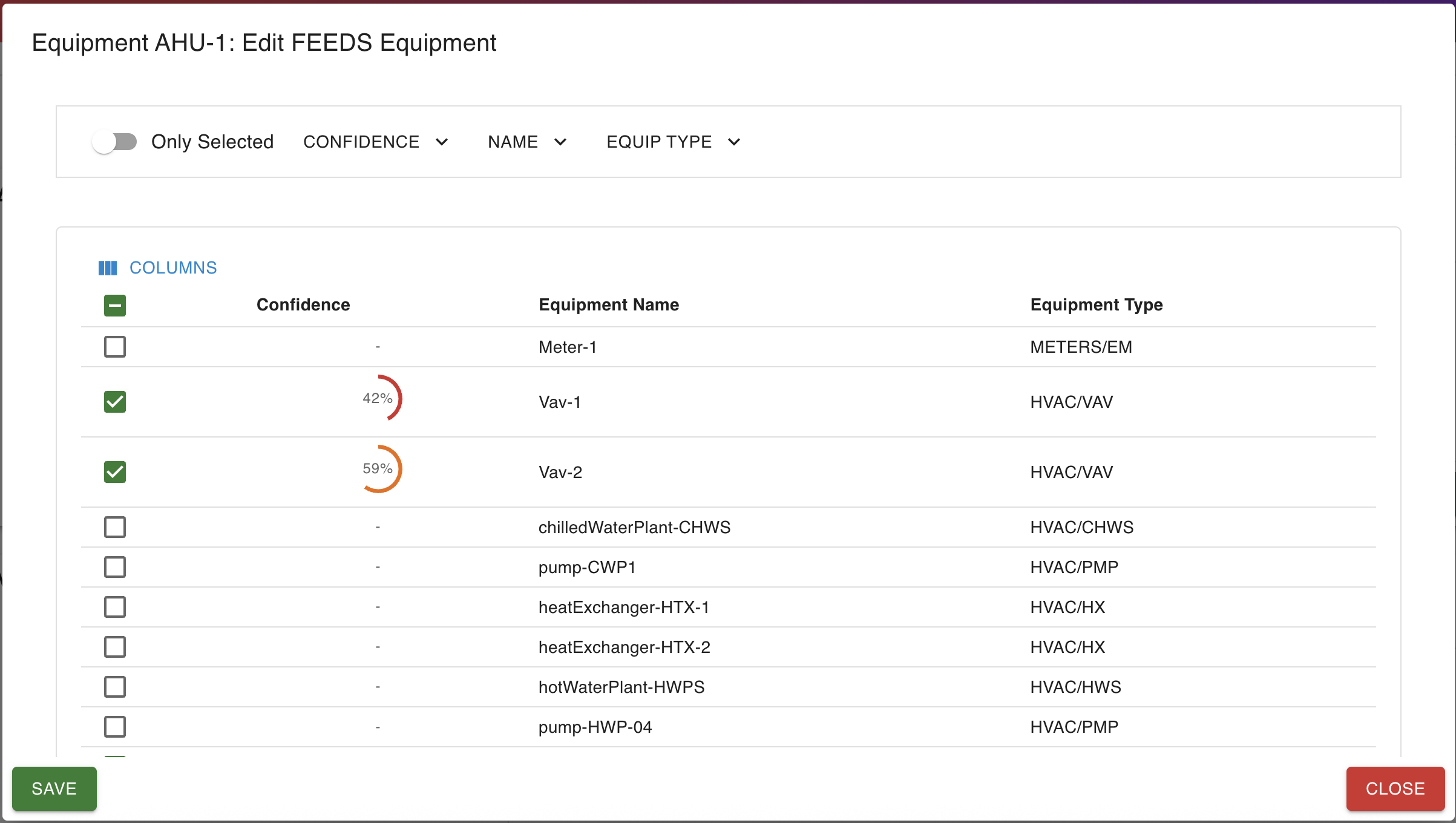
Onboard’s AI suggests relationships for AHU servings VAVs downstream. This is based on the telemetry data. Make sure your equipment are published and streaming data for best results.
‍

AI automatically surfaces VAV relationships predictions for AHUs

Copyright © Onboard Data Inc. 2025